ChatGPT Login Codes: Risks of a Disposable Inbox
On this page
If a disposable address remains the registered email on an OpenAI account, later login checks and password resets can still depend on that inbox.

What this page can and cannot answer
For an email-based OpenAI account, using a disposable inbox makes later access depend on that inbox. OpenAI says an additional sign-in check can send a six-digit code to the registered email address, especially on a new device or from an unusual location. This guide did not test whether OpenAI accepts any Mailxus domain at signup.
Everything below concerns an OpenAI account that has an email address registered to it. OpenAI documents phone-only signup in a selected set of countries, and those users can add an email later, so an email address is not universal to every account.
OpenAI's account help pages were checked on August 7, 2026. A Mailxus signup attempt was made and did not complete: the OpenAI signup page stayed behind a Cloudflare browser challenge, so no disposable-domain acceptance result was obtained, and the challenge was not circumvented. This page therefore covers documented account behavior as checked on that date. The domain checks and policies behind a rejection are covered separately.
When OpenAI may ask for another login check
OpenAI's help center lists new or unrecognized devices and unusual locations among the situations that may trigger an additional verification step at sign-in. OpenAI does not say that every sign-in receives one.

The method is not always email. If the account and device setup supports it and you are signed in to the ChatGPT mobile app, OpenAI may send a push notification asking you to approve the sign-in. A one-time code by email is the documented route when push approval is unavailable or cannot be delivered. That ordering matters for a disposable inbox, because the inbox becomes load-bearing only in the fallback case.
Multi-factor authentication is a separate control that you enable yourself, and its options can include an authenticator app, so do not confuse it with these adaptive login checks.
OpenAI publishes the triggers, not a schedule. There is no documented interval after which a check happens. If a qualifying sign-in occurs months after the account was created, OpenAI may require verification then, and the account's registered address is where an email code would go.
Which email address receives the six-digit code
The code goes to the email address registered on the account at that moment. That is not automatically the address typed into the signup form, because OpenAI lets eligible users change the account email later.
If you have never changed the account email, the registered address may still be the disposable one used during signup, and the dependency is real. If you already moved the account to a durable mailbox, the old disposable inbox is no longer the destination described above.
In ChatGPT on the web, you can see which address is currently registered in the same place you would change it: Settings, then Account. Check that address to determine whether the disposable-inbox risk discussed here applies.
Password recovery also depends on the account email. OpenAI sends password-reset instructions by email, so both an email login code and a password-reset message can require access to the registered inbox.
Why access to the registered inbox can matter later
An email code is only useful if you can open the inbox it lands in. On Mailxus, the address itself has no time limit, but reading that inbox depends on the access token stored in your browser. Clearing browser data or moving to another device removes that access unless the token was saved, and a lost access token cannot be recovered by anyone, including the Mailxus team. A code also has to still be there when you look, because the message-retention clock runs separately from the address.
So if a Mailxus address is still the registered email on an OpenAI account you care about, do one of two things while the account controls are still available to you: save the token so you can reopen that inbox with its access token, or change the account email to a durable mailbox.
Losing the token does not delete or deactivate the OpenAI account. It removes your ability to read that inbox, which makes an email code or a password-reset message sent there unusable. Do not assume a saved password, a social login, or an open session will carry you past a verification check, because the methods OpenAI offers depend on the account and device setup.
How to change the email on an OpenAI account
Make the change while you can still sign in. In ChatGPT on the web, open Settings, select Account, select the email address, enter the new address, and complete the verification steps shown. The change cannot be made from the iOS or Android apps.
Several conditions affect whether self-service is available. The new address must not already belong to an OpenAI account. If you signed up with Google, Microsoft, or Apple, add a password first. OpenAI says self-service is generally unavailable if you have signed in with SSO, belong to an Enterprise workspace or organization, or use a current email domain verified for an Enterprise, Education, or Business customer. Shared-workspace members generally need an administrator to make the change.
After the address changes, OpenAI signs you out, and you sign back in with the new one. Use a durable address for an OpenAI account you expect to keep, pay for, or recover later.
If you no longer control the registered inbox
OpenAI says self-service troubleshooting will not help when you cannot receive login, verification, or password-reset email, and SMS is not an alternative for email-based verification. Contact OpenAI Support with the account email, sign-in method, and any relevant billing or subscription details so it can verify ownership and advise on next steps. OpenAI's published guidance does not promise that Support can restore account access or change the registered email.
Mailxus cannot help here either. There is no account behind a Mailxus inbox and no password to reset, so a token that is gone stays gone. That is the reason to decide early rather than at the login screen. X documents a comparable dead end when both the linked inbox and a verified phone are gone, set out in the X account recovery paths.
Open Settings and read the registered address. If it is a durable mailbox you control, the disposable-inbox risk discussed here does not apply. If it is a disposable address and the account matters to you, save the access token or move the account to a durable address while you can still sign in. If the account does not matter to you, taking no action is also defensible.
For the next signup you do not expect to keep, a disposable address from the home page is a reasonable default. For an OpenAI account you intend to pay for or recover later, register a durable mailbox instead.
Frequently asked questions
Do I need a phone number to create a ChatGPT account?
No. OpenAI states that phone verification is no longer required to create an account or use ChatGPT. Phone verification does still apply to generating your first API key on the developer platform, though not to later keys. Separately, OpenAI offers phone-only signup in a selected set of countries. Checked August 7, 2026.
Is the OpenAI verification email I received genuine?
It may be genuine if it came from one of the sender addresses OpenAI documents: noreply@tm.openai.com or otp@tm1.openai.com. Treat a code from another sender, or one you did not request, as suspicious.
The code expired before I used it. What now?
Request a new code and use the most recent one. OpenAI says codes can arrive late or expire, and its OTP guidance says expired or older codes may fail. If several requested codes are in the inbox, use the most recent one.
Topics

Author
Inbox Privacy Writer
Nora writes about what happens to an email address after you hand it over: who ends up holding it, how it reaches a marketing list, and where a throwaway address takes the pressure off. She reads the fine print on a service before recommending it, and she says so plainly when a privacy claim does not hold up.
Related articles
8 min read
Why Websites Block Disposable Email Addresses
Why sites reject disposable email, how domain and risk checks work, what each rejection signal proves, and the safe next step.
8 min read
X Account Locked? Email, Phone, and Recovery Paths
X shows one verification route at a time, and the message decides which. Losing both the linked inbox and a verified phone closes the documented paths.
8 min read
Discord Server Verification Levels: Email, Time, Phone
Discord's five server verification levels can require a verified email, elapsed time, or a verified phone. See what each level does and cannot prove.
8 min read
Temp Mail vs a Second Gmail Account: Which to Use
A second personal Gmail account can send; its Google Account has documented recovery. A Mailxus address has no inactivity clock, but access depends on its token.
6 min read
Verification Code Not Arriving? Causes and Fixes
If an email verification code does not arrive, check the address, delivery channel, sender status, and inbox access before requesting another code.
10 min read
Temp Mail vs Email Aliases: How to Pick One
The alias services compared here forward into your regular inbox; reply support varies by provider and plan. Mailxus keeps mail in a separate, receive-only inbox.
9 min read
Temporary Email Expiration Models Compared
Three expiration models across six provider modes. Address activity, message retention, and inbox access are separate things.
7 min read
Disposable, Burner, or Throwaway Email: The Difference
Burner is used for three different setups, so the label alone will not tell you how one behaves. Four checks cover the architecture.
6 min read
How to Choose a Temp Mail Service That Fits
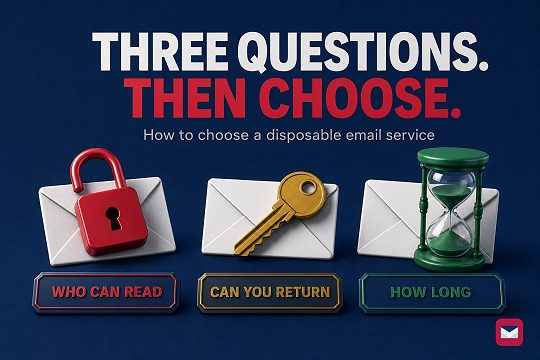
Choose a disposable email service by checking who can open the inbox, whether you can return later, and how long the address and messages remain available.


