Temp Mail vs Email Aliases: How to Pick One
Reply support, new-thread support, and free-plan limits differ enough between alias providers that making the choice requires two comparisons rather than one.

The short answer
Use an email alias when messages should reach your regular inbox, or when the address may need to keep working for replies, sign-in codes, receipts, or newsletters. Use a Mailxus address when you want a separate, receive-only inbox for a short-lived task. Neither is accepted everywhere, and reply support varies by alias provider and plan.
The decision turns on two questions rather than one. Where should later mail land: in the mailbox you read every day or somewhere apart from it? And how durable does access have to be for the account attached to it? A Mailxus inbox is reached with an access token kept in your browser. Messages there are removed on a schedule, and a lost token cannot be recovered by anyone, including the Mailxus team. Those limits decide more cases than any feature list.
How this comparison was checked
Mailxus publishes this article and operates the free temp mail service used for the temp mail side of the comparison. The two sides are not symmetrical: the temp mail side describes Mailxus specifically, while the alias side samples several providers with materially different behavior.
Six criteria were compared: where mail ends up, whether you can reply, whether you can start a new message, what setting it up requires, what walking away or getting back in involves, and whether the provider documents its addresses being rejected. The evidence comes from each provider's own public documentation, checked on August 7, 2026. No accounts were created, no test messages were sent, and neither deliverability nor acceptance rates were measured.
How alias features vary by provider
All six feature paths compared here forward mail to another inbox. What differs is almost everything else. Replying, starting a new message, and free-plan limits vary widely enough that "an alias" is not one option, and a recommendation that ignores the differences will be wrong for some readers.
| Provider | Cost | Creating addresses | Replying | Starting a new message |
|---|---|---|---|---|
| Apple Hide My Email through Sign in with Apple | No iCloud+ needed | Only inside the Sign in with Apple flow, where the app or site supports it | Reading and responding are documented | Not established in the checked documentation |
| Apple iCloud+ | Subscription | On demand in supported forms, Mail, settings, Apple Pay, and supported apps | Documented | Documented |
| DuckDuckGo Email Protection | Free | Private Duck Addresses are effectively unlimited, with a daily generation cap | Supported for most Duck Addresses, with replies appearing as the Duck Address. Not supported when the forwarding address uses a unique domain without an SPF record | From the personal Duck Address only, through a special recipient format |
| Firefox Relay | Free tier | 50 in Mozilla's April 21, 2026 support article; the Firefox Relay landing page still lists 5 | Premium only; replies must be sent within three months of receiving the message, with up to 100 replies per day | Not established in the checked documentation |
| SimpleLogin | Free tier | 10 aliases | Supported for received mail | Paid plans |
| addy.io | Free tier | Unlimited standard aliases, 10 active shared-domain aliases, 10 MB monthly bandwidth | Not on Free | Not on Free |
Checked August 7, 2026. Plans and limits change, so confirm the current page before relying on a number. Mozilla's official pages conflict: its April 21, 2026 support article lists 50 free masks, while the Firefox Relay landing page still lists five.
Sources checked for the table, by exact page title: Apple Support, "How to use Hide My Email with Sign in with Apple" and "Set up and use Hide My Email in iCloud+ on all your devices"; DuckDuckGo Help Pages, "How do I reply from my Duck Addresses?", "How do I compose a new email from my personal Duck Address?", and "How many private Duck Addresses can I generate?"; Mozilla Support, "Create an email mask through Firefox Relay" and "Reply to forwarded emails with Firefox Relay Premium", plus the product page titled "Firefox Relay", which is where the conflicting five-mask figure appears; the SimpleLogin "Pricing" page and its "Send emails from your alias" documentation; and the addy.io page titled "Free, Open-source Anonymous Email Forwarding".
Walking away also differs. Most alias services let you switch off or remove an individual address without touching the forwarding mailbox, though exactly which addresses can be disabled or deleted depends on the provider and the address type. Mailxus has a Delete address control, and using it is permanent. The deeper difference is recovery. Each alias path in the table is managed through some account with that provider, and how you get back into that account varies: Apple offers Apple Account recovery, while DuckDuckGo Email Protection has no password at all and signs you in with a one-time passphrase sent by email. A Mailxus inbox has no account of any kind, so its access token is the only way back in, and nothing can restore it.
The practical result is that "an alias lets you reply" is not true of the free plans of Firefox Relay or addy.io. DuckDuckGo describes its new-message method as an interim approach it hopes to make easier, so treat it as a workaround rather than ordinary composing.
The sampled alias services have clear advantages. Mail arrives in the mailbox you already read. Depending on the provider, an individual address or mask can be disabled without changing the forwarding mailbox. DuckDuckGo removes hidden trackers before forwarding and reports how many it removed and which company appeared to be behind them, which is a real protection that Mailxus has no documentation of providing.
Alias forwarding vs a separate Mailxus inbox
Each alias path in the table forwards mail onward to your regular mailbox. A Mailxus address does not forward anything: the message stays in a separate inbox that only receives.

The routing difference changes what each service must know. An alias service has to know the forwarding destination because forwarding is what it does. This is not a price you pay for reply support; it is what makes the address work at all. Mailxus has no forwarding destination because nothing is passed onward. That is a narrow claim, not a broad one: the Mailxus privacy policy describes technical data it processes, including IP address, country, User-Agent, language, and a browser fingerprint. The accurate statement is that there is no destination mailbox to map an address to.
The separate inbox has drawbacks worth stating alongside the claim. Mailxus only receives, so there is no reply and no new message. Attachments are not available, though you can still read the text of a message that has one. The address itself has no time limit, but messages in it are removed on a schedule. Access depends on the token stored in your browser, and if that token is gone the inbox cannot be recovered.
Setup differs in the other direction. A Mailxus address is created when the page loads, with no account, login, password, or subscription, while every alias path in the table above requires an account with that provider.
Which one fits the job
For a code you need once and an address you will abandon, a Mailxus address is the simpler choice. Nothing has to reach your regular inbox, and nothing has to keep working afterward.
For the case in between, where you do not need to reply but might need another sign-in code, a receipt, or a password-reset message later, both options work, and they fail differently. A Mailxus address keeps receiving mail because it has no time limit, and a saved access token is what lets you reopen and read that inbox later. The trade is that messages are removed on a schedule and a lost token ends access permanently. An alias suits you better when you want that later mail delivered into the mailbox you already watch. If the account is one you would be hurt to lose, neither belongs there: use a durable mailbox with a real recovery path.
If you may need to write back to a seller or a support desk, choose an alias, then check your specific plan in the table above, because the free plans differ on exactly that point. For a newsletter you intend to follow, choose an alias when you want each issue forwarded into and retained by your regular mailbox. A reusable Mailxus address also fits a low-stakes newsletter if you prefer a separate inbox and accept the retention and token-loss limits. Either way, the address can spread once it has been submitted, which the routes from a signup form to inbox spam traces.
For banking, government services, work accounts, or anything with password recovery that matters, use an address and a recovery path durable enough for that account. That rules out a disposable inbox, and it also rules out any alias arrangement you might stop paying for or lose access to. If the durable mailbox you have in mind is a second personal Gmail account, its recovery process and its inactivity policy are set against a disposable inbox separately.
Acceptance is its own row in the decision, and it cuts both ways. Some sites reject disposable addresses at signup, for reasons and checks that vary from site to site. SimpleLogin documents that some websites reject its domains too, and maintains a process for users to report those cases. That is enough to show aliases are not universally accepted. It is not enough to say how often rejection happens, why any particular site rejects an address, or which list that site uses. When a site refuses the address, use a durable mailbox for that site.
You do not have to choose one permanently. A separate temp inbox fits short-lived work that only requires receiving mail, while an alias or a durable mailbox fits mail that has to stay reachable from the mailbox you read. If the temp inbox is the side you are choosing, picking a service that fits the job starts with who can open the inbox.
Frequently asked questions
Do email aliases get blocked too?
Some email alias domains are rejected by some websites. SimpleLogin documents that some websites reject its domains, and it accepts reports of those cases, tests them, and contacts the site. The public documentation does not establish how common this is or what any individual site is reacting to, so treat acceptance as something to check per site rather than a property of the address type.
Which one is more private?
Neither one is more private in general; it depends which exposure you care about. An alias hides your real address from the site, but the alias service knows the forwarding mailbox because it has to route mail there. Mailxus has no forwarding mailbox, but it does process the technical data listed in its privacy policy, and it has no documentation of removing trackers the way DuckDuckGo does. Neither arrangement makes you anonymous.
If I may need another code later, should I use Mailxus or an alias?
Either can work, so choose based on where you want that later message to arrive. An alias puts it in the mailbox you already read. A Mailxus address keeps receiving it at the same address, and a saved access token lets you reopen that inbox with its token, with the caveats that messages are removed on a schedule and a lost token cannot be recovered. If missing that message would be expensive, use a durable mailbox instead of either.
Do I have to pick one?
No, you do not have to pick one, and the two do different jobs in the same week. A disposable inbox absorbs one-off signups you never want to hear from again. An alias carries the mail you do want into the mailbox you actually read, with the option to switch that address off later. A durable mailbox holds the accounts you cannot afford to lose.
Topics

Author
Service Comparisons Editor
Grant lines temp mail services up side by side and stays on the details that decide the answer: how long a message stays readable, whether you can come back to the same address later, and what the service holds on to once you close the tab.
Related articles
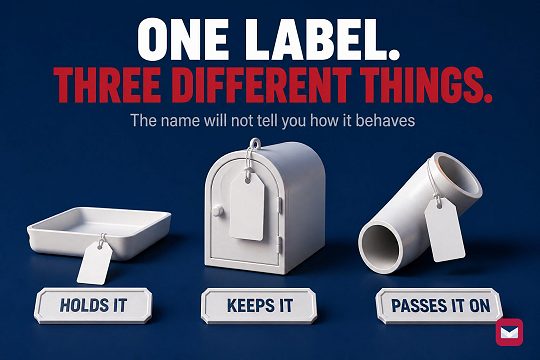
7 min read
Disposable, Burner, or Throwaway Email: The Difference
Burner is used for three different setups, so the label alone will not tell you how one behaves. Four checks cover the architecture.
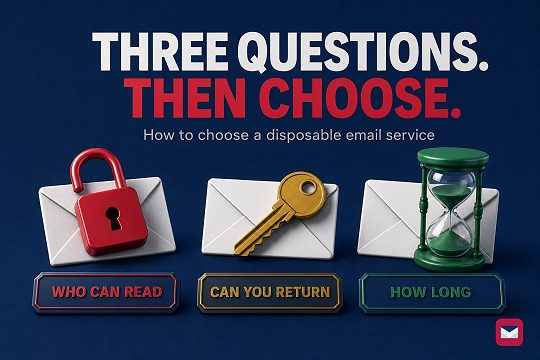
6 min read
How to Choose a Temp Mail Service That Fits
Choose a disposable email service by checking who can open the inbox, whether you can return later, and how long the address and messages remain available.
8 min read
Temp Mail vs a Second Gmail Account: Which to Use
A second personal Gmail account can send; its Google Account has documented recovery. A Mailxus address has no inactivity clock, but access depends on its token.
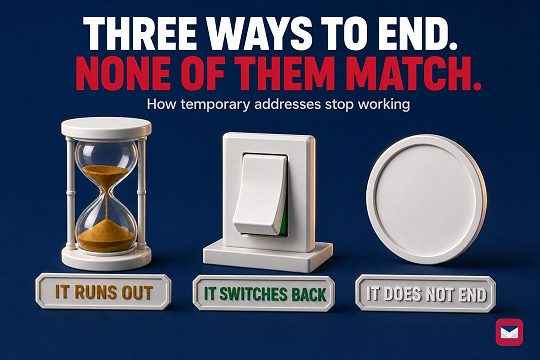
9 min read
Temporary Email Expiration Models Compared
Three expiration models across six provider modes. Address activity, message retention, and inbox access are separate things.
8 min read
How Signup Forms Lead to Inbox Spam
Under US CAN-SPAM, a covered commercial sender must honor an opt-out within 10 business days. The request cannot retrieve copies held elsewhere.
7 min read
ChatGPT Login Codes: Risks of a Disposable Inbox
OpenAI may send a six-digit login code to the registered email address. See what that means for disposable inbox access and when to change the email.
8 min read
X Account Locked? Email, Phone, and Recovery Paths
X shows one verification route at a time, and the message decides which. Losing both the linked inbox and a verified phone closes the documented paths.
8 min read
Discord Server Verification Levels: Email, Time, Phone
Discord's five server verification levels can require a verified email, elapsed time, or a verified phone. See what each level does and cannot prove.
8 min read
Why Websites Block Disposable Email Addresses
Why sites reject disposable email, how domain and risk checks work, what each rejection signal proves, and the safe next step.


